You've probably tried time blocking before. You read Cal Newport's Deep Work, spent 45 minutes color-coding your Google Calendar on a Sunday evening, felt extremely organized for about 16 hours, and then a surprise 10 AM meeting blew the whole thing apart. By Wednesday, the blocks were fiction. By Friday, you'd quietly gone back to reacting to whatever felt most urgent.
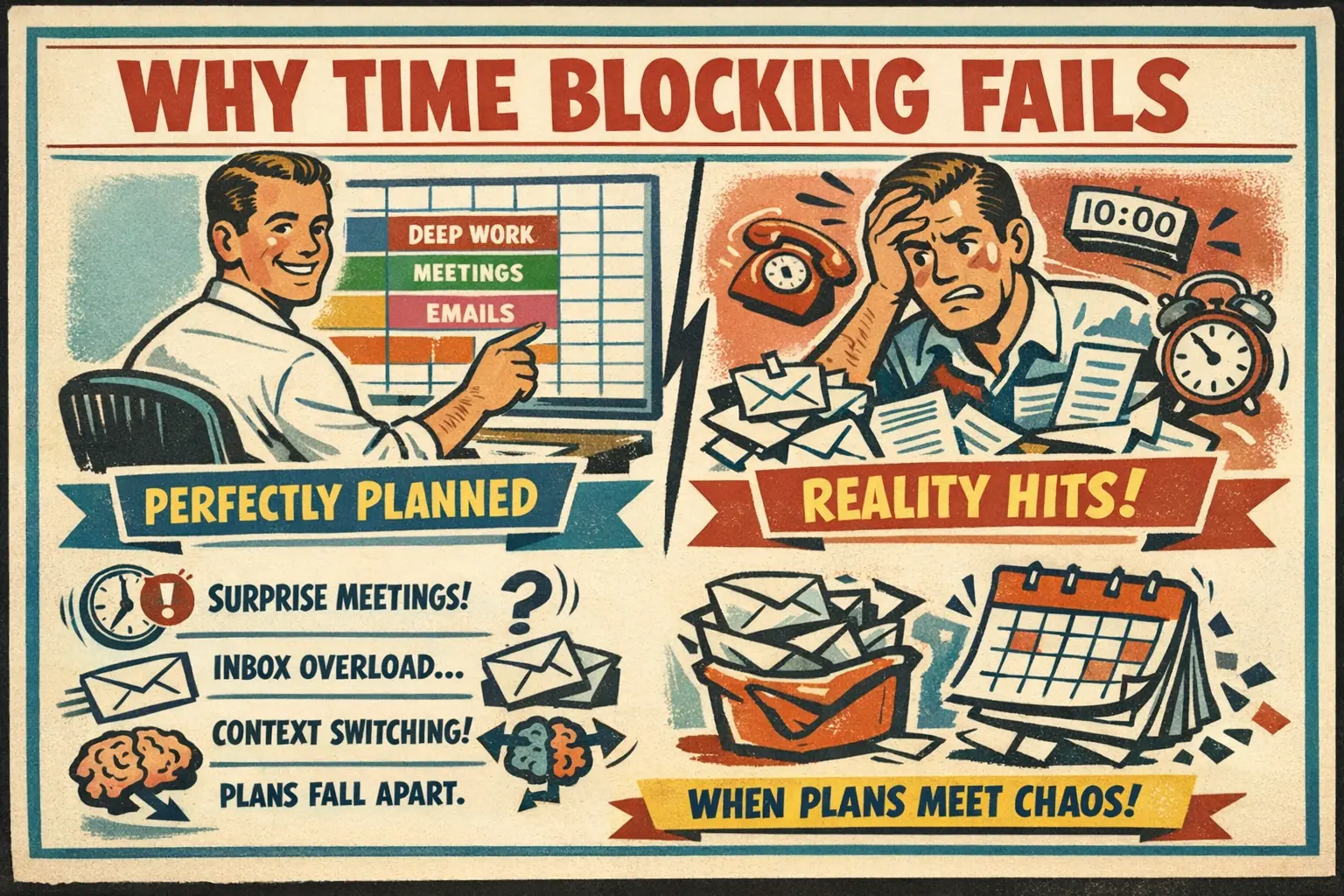
That's the normal trajectory. And it's not because time blocking doesn't work. It's because most time blocking advice stops at "put tasks on your calendar" and skips the part about what happens when reality shows up.
This guide is for people who already know what time blocking is but haven't made it stick, or who are curious about the time blocking method but suspicious of productivity advice that sounds too clean. Real definitions, cognitive science, templates you can copy, the variations that matter, mistakes that kill the habit, and the AI tools that handle the planning grunt work.
What Is Time Blocking?
Time blocking is the practice of dividing your day into discrete blocks of time, each assigned to a specific task or category of work. Instead of maintaining a to-do list and hoping you get to things, you decide in advance when each task happens. Your calendar becomes your to-do list.
The concept is simple enough that it barely needs explaining. The execution is where people struggle.
A basic time blocking schedule looks like this:
| Time | Block | Type |
|---|---|---|
| 7:00 - 8:00 | Morning routine + exercise | Personal |
| 8:00 - 8:30 | Email triage + Slack catch-up | Shallow |
| 8:30 - 10:30 | Deep work: quarterly report draft | Deep |
| 10:30 - 10:45 | Break | Buffer |
| 10:45 - 11:30 | Team standup + follow-ups | Meeting |
| 11:30 - 12:00 | Admin: expense reports, approvals | Shallow |
| 12:00 - 1:00 | Lunch (not at your desk) | Personal |
| 1:00 - 3:00 | Deep work: product spec review | Deep |
| 3:00 - 3:30 | Buffer / overflow | Buffer |
| 3:30 - 4:30 | Collaborative work: design review | Meeting |
| 4:30 - 5:00 | Plan tomorrow's blocks | Planning |
That last row matters more than it looks. Planning tomorrow's blocks is part of the system, not a nice-to-have.
Cal Newport popularized time blocking as a core practice in Deep Work, but the method predates him by decades. Benjamin Franklin scheduled his days in blocks. Elon Musk famously uses 5-minute time blocks (a variation called time boxing that we'll get to). The common thread isn't the block size or the tools. It's the commitment to deciding in advance how your hours will be spent, instead of letting inboxes and other people's priorities decide for you.
Why Time Blocking Works: The Psychology
Time blocking isn't an organizational preference. It's a cognitive defense mechanism. It works because it counteracts specific weaknesses that plague knowledge workers.
The Context-Switching Tax
It takes 23 minutes and 15 seconds to fully return to a task after an interruption (2023, University of California, Irvine). If you're switching between projects every 30 minutes, you're spending nearly half your cognitive energy just re-orienting. Time blocking for productivity works because it batches similar work together, reducing context switches per day.
My Wednesday 2-4 PM "deep work" block has produced more usable output than any full day of "I'll just work on whatever feels urgent." Two protected hours beat eight fragmented ones.
Parkinson's Law
Work expands to fill the time available. Without a defined endpoint, a 30-minute email draft becomes a 90-minute email draft. Time blocking creates artificial deadlines for every task. When your "email triage" block ends at 8:30, you stop triaging. The constraint is the feature.
Decision Fatigue Reduction
Every "What should I work on now?" costs cognitive resources. Time blocking eliminates that question for most of the day. The decision was already made during yesterday's planning block. You just execute.
The Zeigarnik Effect
Unfinished tasks occupy mental bandwidth even when you're not working on them. That's why your brain keeps nagging you about that presentation while you're trying to write code. When tasks live in time blocks on your calendar, your brain can release them. They have a place. The mental noise drops.
How to Time Block: A Step-by-Step Method
If time blocking didn't stick before, the problem was the setup, not the concept. Here's how to build a time blocking schedule that actually survives a real week.
Step 1: Run a Time Audit First
You can't block time effectively if you don't know where it's going now. Before you touch your calendar, track your actual time use for 3-5 days. Every 30 minutes, write down what you were doing. Don't judge it. Just observe.
Most people discover two things: they spend far more time on email and messaging than they thought, and their "deep work" is scattered across 15-minute fragments throughout the day.
The Time Audit Analyzer can process your raw time tracking data and produce a structured breakdown of where your hours actually go. Patterns that feel invisible when you're living them become obvious in a table.
Step 2: Identify Your Deep Work Windows
You have roughly 3-4 hours of peak cognitive capacity per day. For most people, that window lands between 8 AM and noon. For night owls, it might be 9 PM to midnight. Don't fight your biology. Schedule your most demanding work during your peak hours and put the shallow stuff everywhere else.
The Energy Management Planner maps your energy levels across the day and assigns task categories accordingly. If you've been scheduling deep analytical work at 3 PM, this will show you why it never gets done.
Step 3: Categorize Your Tasks
Before blocking, group everything you do into categories:
- Deep work: Tasks requiring sustained focus with no interruptions (writing, coding, strategic planning, design)
- Shallow work: Necessary but low-cognitive tasks (email, admin, data entry, scheduling)
- Meetings: Synchronous communication (standups, 1:1s, client calls)
- Planning: Time spent organizing future work (weekly reviews, block planning)
- Buffer: Empty space for overflow and the unexpected
Step 4: Build Your Default Week
Create a repeating template, not a one-off schedule. Your Monday should look roughly the same every Monday unless something specific changes. This is your default week. It's the skeleton you drape reality over.
Here's where most people make the critical mistake: they block 100% of available time. Don't. Block 60-70% and leave the rest as buffer. If you fill every minute, the first unplanned event (a client emergency, a broken build, a dentist appointment you forgot) collapses the entire day. Buffer blocks aren't wasted time. They're structural integrity.
The Time Blocking Scheduler generates a weekly time blocking schedule based on your task list, meeting commitments, and energy patterns. It builds in buffer time automatically and batches shallow tasks into efficient clusters.
Step 5: Plan Tomorrow Before You Leave Today
Spend the last 15-20 minutes of each workday reviewing tomorrow's blocks. Adjust for what actually happened today. Move unfinished deep work to tomorrow's deep work slot. This ritual does two things: it gives you a clean shutdown (your brain stops worrying because tomorrow is already planned), and it means you can start working immediately in the morning instead of spending the first hour figuring out what to do.
Step 6: Protect Your Blocks (With Realistic Flexibility)
The single hardest part of time blocking is saying no to interruptions during deep work blocks. Here are practical tactics:
- Set your calendar to "busy" during deep work blocks so colleagues can't book over them
- Use a physical signal: headphones, a "do not disturb" status, a closed door
- Batch your responsiveness: Check email and Slack during your shallow work blocks, not during deep work
- When something truly urgent comes up, handle it. Then return to your block. Don't abandon the entire system because one block got interrupted
The Calendar Optimizer can analyze your current calendar and identify where meetings are fragmenting potential deep work windows. Sometimes the fix is as simple as moving your Tuesday 10 AM standup to 11:30.
Time Blocking Templates and Examples
Template 1: Knowledge Worker (9-5 Office)
| Time | Monday | Tuesday | Wednesday | Thursday | Friday |
|---|---|---|---|---|---|
| 8:00-8:30 | Email triage | Email triage | Email triage | Email triage | Email triage |
| 8:30-10:30 | Deep work | Deep work | Deep work | Deep work | Deep work |
| 10:30-10:45 | Break | Break | Break | Break | Break |
| 10:45-12:00 | Meetings | Collaborative | Meetings | Collaborative | Weekly review |
| 12:00-1:00 | Lunch | Lunch | Lunch | Lunch | Lunch |
| 1:00-2:00 | Admin/shallow | Deep work | Admin/shallow | Deep work | Planning |
| 2:00-3:30 | Collaborative | Meetings | Collaborative | Meetings | Buffer |
| 3:30-4:00 | Buffer | Buffer | Buffer | Buffer | Buffer |
| 4:00-4:30 | Email + Slack | Email + Slack | Email + Slack | Email + Slack | Shutdown |
| 4:30-5:00 | Plan tomorrow | Plan tomorrow | Plan tomorrow | Plan tomorrow | Plan next week |
Notice the pattern: deep work in the morning (peak energy), meetings and collaborative work in the afternoon (lower energy, social tasks), email at bookends only. Friday afternoon is deliberately light for weekly review and planning.
Template 2: Time Blocking for Students
Students face a different challenge: unpredictable class schedules, long reading assignments that resist estimation, and the constant temptation to study "later." A student time blocking schedule works best in 2-hour study blocks with 15-minute breaks, mirroring the academic rhythm.
| Time | Block |
|---|---|
| 8:00-10:00 | Class |
| 10:15-12:15 | Study block: Organic Chemistry (active recall, not re-reading) |
| 12:15-1:00 | Lunch |
| 1:00-2:30 | Class |
| 2:45-4:45 | Study block: Essay draft for English Lit |
| 5:00-5:30 | Admin: respond to group project messages, check assignment deadlines |
| 5:30-6:30 | Exercise |
| 7:00-8:30 | Light study: review notes, flashcards |
| 8:30+ | Free time (actually free, not "I should be studying" free) |
The key for student time blocking: name the specific task in each study block. "Study biology" is too vague. "Complete Chapter 7 practice problems and review enzyme diagrams" gives you a clear finish line.
Template 3: Freelancer / Creative Professional
Freelancers need to split time between client work (which pays) and business development (which keeps future income flowing). Creative work also doesn't always cooperate with rigid 2-hour blocks.
The trick: use themed days (a variation covered below) combined with time blocking within each day.
- Monday/Thursday: Client delivery days. Deep work blocks for active projects.
- Tuesday/Friday morning: Business development. Proposals, networking, marketing.
- Wednesday: Admin day. Invoicing, bookkeeping, email catch-up, tool maintenance.
- Daily 4:30-5:00: Plan tomorrow.
The Daily Planner Assistant can generate a structured daily plan from an unorganized task dump. Useful on Mondays when you're staring at a week's worth of client deliverables and don't know where to start.
Time Blocking Variations
The basic method isn't the only version. These variations adapt the core idea for different work styles and needs.
Day Theming
Instead of blocking individual tasks, you assign entire days to categories. Jack Dorsey (when running both Twitter and Square) used day theming: Monday was management, Tuesday was product, Wednesday was marketing, and so on.
Day theming works when you have multiple distinct roles that each need sustained attention. The downside: if Tuesday is your "product" day and a critical issue erupts on Friday, you either break the theme or wait four days.
Task Batching
The average American worker checks email 47 times per day (2019 Adobe study). Task batching groups similar small tasks into a single block instead of scattering them. Batch email into two or three 30-minute blocks instead of 47 micro-interruptions.
Good candidates for batching: email, Slack messages, phone calls, social media, administrative tasks, code reviews. Anything where the startup cost of context-switching exceeds the task itself.
The Meeting Reduction Advisor is worth running even if you're not in a management role. It identifies which meetings can be converted to async updates, freeing blocks for deep work or batched tasks.
Time Blocking vs Time Boxing
People use these interchangeably. They're different.
Time blocking assigns a task to a block of time. If you don't finish, you can extend the block or move the remainder to another block. The focus is on protecting time for specific work.
Time boxing assigns a fixed duration to a task and stops when the time is up, finished or not. Elon Musk's famous 5-minute blocks are time boxing. The focus is on constraining work to prevent perfectionism and scope creep.
In practice, you'll probably use both. Time block your deep work sessions (you need open-ended focus for creative or analytical tasks). Time box your shallow work (email gets 30 minutes, period, regardless of how many unread messages remain).
Pomodoro vs Time Blocking
The Pomodoro Technique (25 minutes of work, 5-minute break, repeat) is actually compatible with time blocking. You can Pomodoro inside a time block. Block 8:30-10:30 for deep work, then use four Pomodoro cycles within that window.
Where they conflict: deep work often requires sustained focus periods longer than 25 minutes. If you're in a flow state at minute 24, a forced break is counterproductive. Some people modify Pomodoro to 50/10 or 90/20 splits for deep work blocks while keeping the classic 25/5 for shallow tasks.
The Pomodoro Planner builds a customized schedule with flexible interval lengths based on your task types. It adapts the technique to your work instead of forcing your work into rigid intervals.
Time Blocking for ADHD
Standard time blocking advice is designed for neurotypical brains. Time blocking gets recommended to people with ADHD constantly, usually by people who don't have ADHD. The advice ignores the specific challenges: time estimation (a 30-minute task feels like 10 until it takes 90), task transitions (the "just one more minute" hyperfocus trap), and maintaining a system that requires daily planning rituals.
Adaptations that help:
Shorter blocks with more buffer. Instead of 2-hour deep work blocks, try 45-60 minutes with 15-minute transition periods between blocks. The transition time is buffer for hyperfocus overflow and task-switching.
External accountability. Body doubling (working alongside someone, even virtually) during time blocks. Set a timer that makes noise. Use a time blocking app with notifications, not just a silent calendar entry.
Fewer blocks per day. Don't try to block every hour. Block your 3 most important tasks and leave the rest flexible. An overscheduled day triggers avoidance. A day with 3 non-negotiable blocks and open space feels achievable.
"Current task" visibility. Write the current block's task on a sticky note at eye level. ADHD brains lose track of what they're supposed to be doing when a notification arrives. A physical reminder helps redirect.
Weekly planning, not daily. The daily planning ritual is a friction point. Try planning all blocks on Sunday evening instead. Review and adjust once mid-week. Two planning sessions per week instead of five.
The Priority Matrix Creator helps with the "everything feels equally urgent" problem that makes time blocking especially hard with ADHD. Sorting tasks into urgent/important quadrants before blocking reduces the paralysis of choosing what goes where.
Common Time Blocking Mistakes (and How to Fix Them)
Mistake 1: No Buffer Time
Blocking every minute guarantees failure. Your day will never go exactly as planned. Build 30-60 minutes of buffer into each half of the day. If nothing goes wrong, bonus time. If something does, shock absorber.
Mistake 2: Unrealistic Time Estimates
You think the report will take 2 hours. It takes 4. Now your afternoon is wrecked. The fix: track how long tasks actually take for two weeks. Use that data, not your optimistic guess, to size your blocks. Add 25% until your predictions improve.
Mistake 3: Treating Blocks as Sacred Instead of Structural
Time blocking isn't a prison. If something genuinely urgent comes up, handle it, then rearrange the remaining blocks. The system serves you, not the other way around. People who quit often cite "it's too rigid." It's only rigid if you treat every block as unmovable.
Mistake 4: Ignoring Energy Levels
Deep creative work after a 90-minute all-hands is a wasted block. Match task difficulty to energy. Deep work goes in your peak window. Admin and email go in your valleys.
Mistake 5: Not Planning the Next Day
Skip the end-of-day planning ritual and you'll start tomorrow staring at your calendar. That uncertainty is exactly what time blocking is supposed to eliminate. Spend 10-15 minutes before shutdown planning tomorrow. Non-negotiable.
Mistake 6: Blocking Personal Time as an Afterthought
Your exercise block deserves the same protection as your client meeting block. If you consistently sacrifice personal blocks to extend work blocks, you'll burn out and abandon the system entirely. Block personal time first, then fit work around it. Feels counterintuitive. Works.
Time Blocking Tips That Actually Help
After years of using this method, these adjustments made the biggest difference:
Color-code by block type. Deep work is blue. Meetings are red. Personal is green. Admin is gray. The visual pattern tells you immediately whether your week is balanced or meeting-dominated.
Use a "miscellaneous" block. One 30-minute block per day for the random tasks that don't fit anywhere. Signing a form. Responding to a quick request. Ordering office supplies. Without this block, these things either interrupt deep work or pile up forever.
Block your commute. If you commute, that time isn't dead. Block it for audiobooks, podcasts, or phone calls. If you work from home, block the equivalent time for a transition ritual (walk, coffee, anything that marks the shift from personal to work mode).
Review your blocks weekly. Every Friday, look at how the week actually went vs. how you planned it. Where did blocks consistently get interrupted? Where did you underestimate time? Adjust next week's template. The system should evolve, not stay static.
Share your time blocking calendar with your team. When colleagues can see that 8:30-10:30 is "deep work," they're less likely to interrupt. Visibility creates social pressure that supports your blocks.
The Weekly Review Template provides a structured framework for this Friday review ritual. It covers what worked, what didn't, what to adjust, and what to carry forward.
Using AI to Build and Optimize Your Time Blocks
AI won't magically fix your schedule. But it's genuinely useful for the tedious parts: analyzing your current time use, generating initial block templates, and identifying patterns you're too close to see.
What AI Does Well for Time Blocking
Initial schedule generation. Describe your typical week (tasks, meetings, energy patterns, constraints) and an AI can generate a first-draft time blocking template in seconds. You'll need to adjust it, but starting from a structured draft beats staring at a blank calendar.
The Time Blocking Scheduler does exactly this. Feed it your task list and constraints, and it produces a blocked schedule with deep work windows, batched shallow tasks, and built-in buffer time.
Time audit analysis. Raw time tracking data is hard to interpret manually. AI can process a week of time logs and surface patterns: "You spend 4.2 hours/day on email but only 1.8 hours on deep work" or "Your Tuesday deep work block gets interrupted by meetings 80% of the time."
Priority sorting. When you have 30 tasks and 16 hours of blocks to fill, deciding what goes where creates decision fatigue. The To-Do List Prioritizer can rank and sort your tasks by urgency, importance, and deadline proximity before you start blocking.
Focus session design. The Focus Session Planner creates structured deep work sessions with clear objectives, break schedules, and distraction mitigation strategies. Useful when you know you need a 2-hour focus block but aren't sure how to structure the time within it.
What AI Doesn't Do Well
AI can't tell you what your priorities should be. It can sort tasks by deadline, but it can't judge whether the Q3 strategy document matters more than the client proposal. That requires human judgment about what your career, business, or life actually needs right now.
It also can't enforce the schedule. The hard part of time blocking isn't planning. It's doing. No tool fixes the discipline gap.
You can use the Dock Editor to draft your weekly plans, capture time audit notes, or write out your block templates in a format that's easy to review and revise. Sometimes getting the plan out of your head and into a document is the step that makes it real.
Time Blocking Tools and Apps
You don't need special software to time block. A paper planner and a pen work fine. But if you want digital tools, here's what matters and what doesn't.
What to Look for in a Time Blocking App or Calendar
- Drag-and-drop block creation. You'll rearrange blocks constantly. This needs to be effortless.
- Recurring blocks. Your default week template should auto-populate.
- Color coding. Visual distinction between block types.
- Integration with your existing calendar. Your time blocking calendar needs to coexist with shared team calendars.
Popular Options (2026)
Google Calendar remains the most common choice. Free, widely shared, supports color coding and recurring events. The downside: it doesn't differentiate between "meeting someone booked" and "block I set for myself," so other people can book over your blocks unless you set them to "busy."
Notion / Notion Calendar combines task management with calendar blocking. Good for people who want their to-do list and schedule in one place.
Sunsama is built specifically for daily time blocking planner workflows. It pulls tasks from Asana, Trello, and other tools into a time-blocked daily view.
Clockwise auto-optimizes your calendar for focus time by rearranging meetings (with permission). Useful if your calendar is mostly meetings and you want AI to find deep work windows.
Paper planners (Full Focus Planner, Passion Planner, or a plain Moleskine) work surprisingly well. The act of writing blocks by hand increases commitment. The downside: no shared visibility and no drag-and-drop when plans change.
For generating the content of your blocks (not just the schedule structure), the Dock Editor works well as a planning workspace where you can draft block objectives, capture notes during work sessions, and review completed blocks at end of day.
Frequently Asked Questions
Does time blocking really work?
Yes, but not magically. Time blocking works because it eliminates the "what should I do now?" question, reduces context switching, and creates artificial deadlines that prevent tasks from expanding forever. A 2022 study published in the Journal of Applied Psychology found that workers who planned their tasks in advance (a core element of time blocking) completed 28% more high-priority work than those who worked reactively. The caveat: it requires consistency. One good week means nothing. The benefits compound over months.
How do I handle unexpected tasks that don't fit my blocks?
This is the number one reason people abandon time blocking. The answer: buffer blocks. Leave 30-60 minutes of unscheduled time in each half of your day. When something unexpected arrives, it goes in the buffer. If the unexpected thing is truly urgent and can't wait for the buffer, interrupt your current block, handle it, then return. Don't throw out the whole day because one block got disrupted. Adjust and keep going.
What's the difference between time blocking and time boxing?
Time blocking assigns tasks to time periods. Time boxing assigns fixed time limits to tasks. With time blocking, if your "write report" block runs over, you can extend it or reschedule the overflow. With time boxing, when the 30 minutes are up, you stop. Time boxing is better for tasks that tend to expand (email, editing, meetings). Time blocking is better for tasks that need open-ended focus (writing, coding, design). Most people use both in a single day.
Is time blocking good for ADHD?
It can be, with modifications. Standard time blocking advice (plan every hour, use long 2-hour blocks, maintain a daily planning ritual) is designed for neurotypical brains. ADHD-adapted time blocking uses shorter blocks (45-60 min), more transition buffer, fewer total blocks per day, and external accountability tools (timers, body doubling, visible task reminders). See the "Time Blocking for ADHD" section above for specific adaptations.
How long should time blocks be?
It depends on the task type. Deep work: 90-120 minutes minimum (your brain needs at least 20 minutes to reach a flow state, so shorter blocks waste most of their time on warmup). Shallow work: 30-60 minutes. Meetings: as short as possible (15-25 minutes for most recurring meetings). Buffer: 15-30 minutes. Start with these defaults and adjust based on what your weekly review reveals.
Can I time block with a shared team calendar?
Yes, and you should. Mark your deep work blocks as "busy" so colleagues can see you're unavailable. Some teams adopt "core hours" (e.g., 10 AM - 2 PM) where meetings are allowed, and "focus hours" outside that window where they're not. This gives everyone time blocking protection without making scheduling impossible.
Start Today, Not Monday
The biggest mistake with time blocking is waiting for the "right time" to start. You don't need a perfect template. You don't need a new app. You don't need to read another book about it.
Block three things on tomorrow's calendar right now. One deep work session during your peak energy window. One batch of shallow tasks. One buffer block. See how it feels. Adjust on Thursday. Review on Friday.
If you want a structured starting point, the Time Blocking Scheduler can generate your first week's plan in under a minute. But even a pencil and a sticky note will work. The method is the point, not the tool.
Time blocking won't give you more hours. Nothing can. But it will give you more usable hours, which is the only kind that matters.