The problem with most cold email templates is that they sound like cold email templates. Your prospect has read "I noticed your company is growing and I thought you might be interested in..." forty times this month. Not an exaggeration. SDRs across every SaaS company on earth are copy-pasting from the same five blog posts. The result: a mass extinction of open rates.
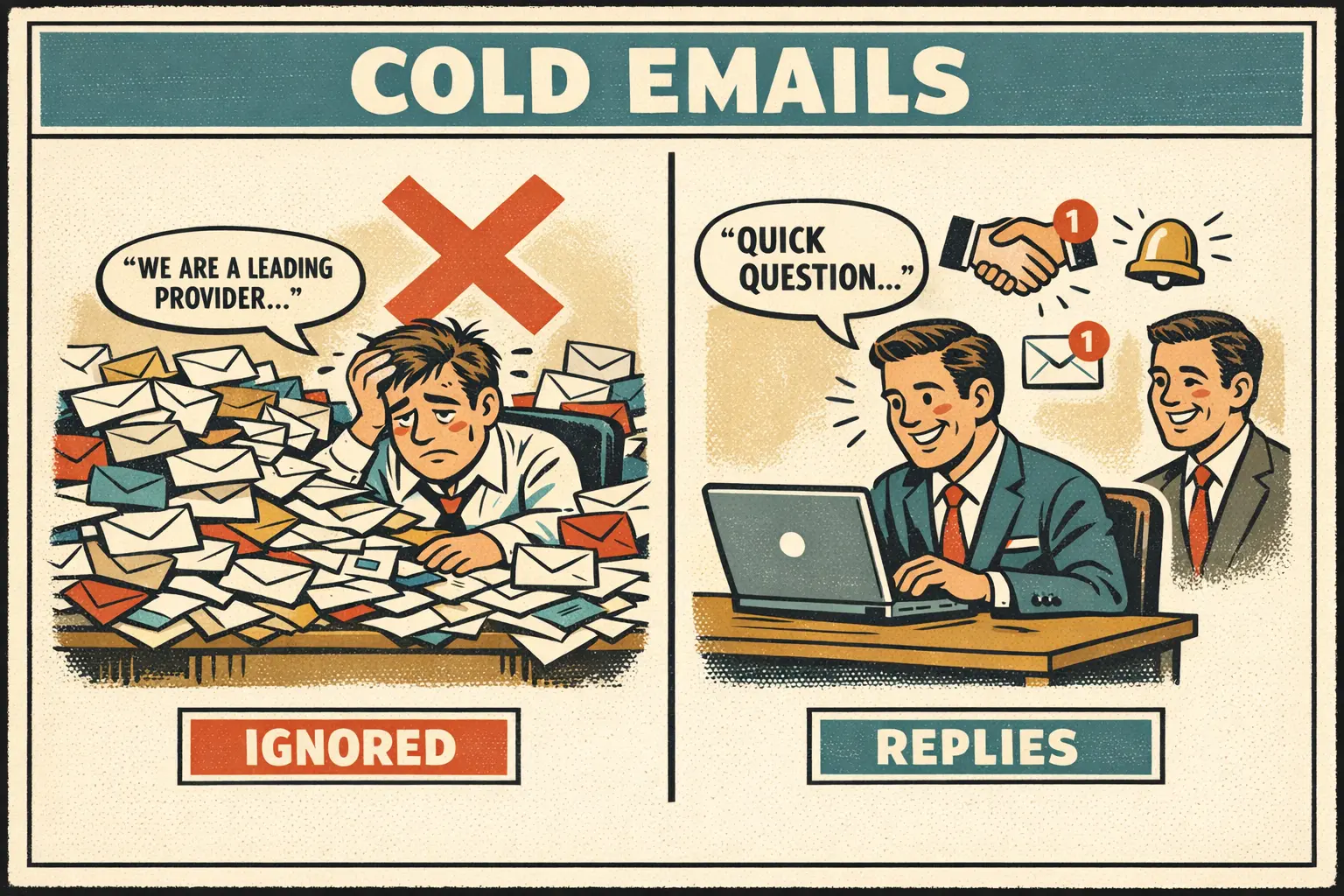
Here is what nobody wants to hear. The template is maybe 20% of the equation. The cold email personalization, the part that takes actual work, is the other 80%. A perfect AIDA framework with a generic opening line will lose to a sloppy email that references something real about the prospect's business. Every time.
That said, you still need the skeleton. Below are the cold email examples I keep coming back to, broken down by the framework behind each one so you can match the structure to your specific selling situation. If you are figuring out how to write a cold email and have never sent one before, start with AIDA. It is the most forgiving. All templates linked here are free and work in ChatGPT, Claude, Gemini, or whatever you already have open.
Why Most Cold Emails Fail (And What the Best Cold Emails Do Differently)
The average cold email response rate sits between 1% and 5%. That is one to five replies per hundred emails. Instantly's 2026 cold email benchmark report, built on billions of cold email interactions, puts the average at 3.43%. Most people read that stat and blame the channel. "Cold email is dead." It is not dead. It is just that 95% of cold emails deserve to be ignored.
The campaigns in the top 10% of that benchmark, at 10.7% reply rates or higher, do not follow some secret formula. They just avoid the three mistakes everyone else makes.
Mistake one: talking about yourself first. "We are a leading provider of..." is the cold email equivalent of walking up to a stranger at a party and immediately talking about your job. Nobody cares. Cold email prospecting starts with research, not writing. "I saw your team just expanded to three new markets" tells the reader you spent 90 seconds looking at their company. That alone puts you ahead of 90% of outbound.
Mistake two: the feature dump. You have twelve product capabilities and you want the prospect to know about all of them. Do not. Listing four features in a cold email is like recommending four movies at once. The person watches none. Pick one value proposition. Commit to it.
Mistake three: going long. The best performing cold emails stay under 80 words, and Lavender's and Hunter's reply data both point lower, under 50. Three to five sentences. You are borrowing 30 seconds from someone who did not ask to hear from you. Respect that.
Cold Email Templates by Framework
Different situations call for different structures. The framework you pick depends on two things: how much you know about the prospect, and whether you are selling a painkiller or a vitamin.
| Framework | Best For | Structure | Use When |
|---|---|---|---|
| AIDA | Complex products that need explanation | Attention, Interest, Desire, Action | You have a strong hook and a clear benefit |
| PAS | Pain-heavy sales where the problem is urgent | Problem, Agitate, Solution | The prospect knows they have a problem but has not fixed it |
| BAB | Transformation-focused pitches | Before, After, Bridge | You can paint a clear picture of life before and after |
| QVC | Quick, conversational outreach | Question, Value, CTA | You want to start a dialogue, not pitch |
| Straight Value | Time-sensitive or data-driven offers | Lead with a specific result, then explain | You have a strong number or case study |
If you are an SDR, founder, or BDR doing outbound cold email prospecting, having one template is a liability. Prospects in different industries, at different awareness levels, respond to different structures. Rotate.
One thing this article does not cover: mass marketing email blasts. Cold email is one-to-one. If you are sending the same email to 10,000 people, that is a different playbook with different rules and different laws.
The Cold Email Template lets you pick from all five frameworks, set your tone and industry, and generates a complete cold email sales template with subject line options and sending timing. Good starting point if you want to test which framework fits your buyers.
Every template below marks what you replace in [BRACKETS]. Swap every one before you hit send. A leftover "[COMPANY]" in a live email tells the prospect exactly what they're reading, and no framework recovers from that. The bold step labels, like [Attention] or [Problem], are only there to show the structure. Delete them too.
AIDA Framework: The Classic That Still Works
AIDA (Attention, Interest, Desire, Action) has been around since the 1890s and it still works because human psychology has not changed much since then. Use it when you have a clear hook and a benefit that is easy to explain in one sentence.
AIDA Cold Email Example
Subject line: Quick question about [COMPANY]'s expansion
Hi [NAME],
[Attention] Saw that [COMPANY] just opened two new locations this quarter. That kind of growth usually means your team is handling 3x the onboarding volume without 3x the staff.
[Interest] We built a tool that automates 80% of new-hire onboarding paperwork. It plugs into the HRIS you already use.
[Desire] Acme Corp cut their onboarding admin time from 12 hours per hire to 2 hours. Their HR director said it was the first tool their team actually adopted without training.
[Action] Worth a 15-minute call to see if it fits your setup?
Best, [YOUR NAME]
Why it works: The opening line references a specific, verifiable event (new locations). The interest section names one thing, not four. The social proof is specific (12 hours to 2 hours), not vague ("many companies love us"). The CTA asks for 15 minutes, not "a meeting."
Word count: 97. Under 100, and there's still room to cut toward 80. Every sentence earns its place.
PAS Framework: When the Pain is Obvious
PAS (Problem, Agitate, Solution) works when the prospect already knows something is broken but keeps pushing the fix to next quarter. Your job is to make "later" feel expensive.
PAS Cold Email Example
Subject line: Your support tickets are probably growing faster than your team
Hi [NAME],
[Problem] Most support teams at your stage are drowning in ticket volume. Headcount stays flat while ticket count grows 30% every quarter.
[Agitate] The result is longer response times, burned-out agents, and customers who start looking at competitors. By the time it shows up in churn numbers, the damage is done.
[Solution] We help teams like yours deflect 40% of repetitive tickets with AI-powered self-service. No chatbot that frustrates people. Actual resolution.
[CTA] I put together a 2-minute teardown of how this could work for [COMPANY]. Want me to send it over?
[YOUR NAME]
Why it works: The agitate step does not invent pain. It describes pain the prospect is already living with and puts a price tag on ignoring it. "Burned-out agents" and "customers who start looking at competitors" are not scare tactics. They are Tuesday. The CTA is smart too: offering a 2-minute teardown is much easier to say yes to than a 30-minute demo with a sales rep.
BAB Framework: Sell the After, Not the Product
BAB (Before, After, Bridge) works when the change is easy to picture. You describe the prospect's week as it is now, then the week after the problem is gone, and your product is the bridge between the two. Outcomes sell better than mechanisms here, so it fits transformation pitches.
BAB Cold Email Example
Subject line: [COMPANY]'s month-end close
Hi [NAME],
[Before] Most finance teams at [COMPANY]'s size lose the first week of every month to reconciling spreadsheets by hand. Forecasting waits until the close is done.
[After] Picture closing the books in [NUMBER] days, with most transactions already matched when your team logs in on the 1st.
[Bridge] That's what [YOUR PRODUCT] does. It connects to [THEIR ACCOUNTING SYSTEM] and matches transactions every night, so month-end becomes a review instead of a rebuild.
Open to a 15-minute look at how [SIMILAR COMPANY] set it up?
[YOUR NAME]
Why it works: The "before" is specific enough that the reader recognizes their own calendar. The "after" is a number they can check against it. The bridge names one mechanism, not a feature list. If you can't write the "after" in one sentence, BAB is the wrong framework for this prospect.
QVC Framework: Ask First, Pitch Second
QVC (Question, Value, CTA) is the shortest structure on this page. You open with a question the prospect can answer from memory, show one piece of value, and ask for a reply. Use it when you want a conversation more than a meeting.
QVC Cold Email Example
Subject line: Question about [SPECIFIC PROCESS] at [COMPANY]
Hi [NAME],
[Question] How is [COMPANY] handling [SPECIFIC CHALLENGE] now that [TRIGGER EVENT]?
[Value] We helped [SIMILAR COMPANY] cut [METRIC] from [BEFORE NUMBER] to [AFTER NUMBER] after the same kind of change. Most of the fix was [ONE-LINE DESCRIPTION OF THE APPROACH].
[CTA] If it's on your list this quarter, I can send the two-paragraph version. Should I?
[YOUR NAME]
Why it works: The question isn't rhetorical. The prospect knows the answer, and thinking about it is what pulls them into the email. The CTA asks for a yes or no by reply, which costs them far less than a calendar slot. Keep the whole thing under 75 words, or QVC turns into AIDA with a question mark on top.
Straight Value: Lead With the Number
Use this one when a single result is strong enough to carry the email. There's no setup and no question. The number goes in the first line, and everything after it explains why it applies to them.
Straight Value Cold Email Example
Subject line: [NUMBER]% fewer [PROBLEM] at [SIMILAR COMPANY]
Hi [NAME],
[SIMILAR COMPANY] cut [PROBLEM METRIC] by [NUMBER]% in [TIMEFRAME] after switching to [YOUR PRODUCT].
They had the same setup [COMPANY] has now: [SHARED DETAIL, SUCH AS TEAM SIZE OR THE TOOL THEY USE]. The change took [SETUP TIME] and didn't touch their existing workflow.
Want the one-page breakdown of what they changed?
[YOUR NAME]
Why it works: The result sits in the subject line and the first sentence, so a prospect who gives you four seconds still gets the point. The second paragraph is the personalization. It tells them why the number transfers to their company. Only send this if the result is real and you're allowed to name the customer. A made-up case study gets found out on the first call.
Two Templates for When You Don't Know Who to Email
Frameworks assume you've already found the right person. Sometimes you haven't, and sometimes someone pointed you there. Both situations get their own email.
The "Right Person" Email
Use this when you know the company is a fit but not who owns the problem. It's the least salesy email you'll send, and it often gets forwarded.
Subject line: Who owns [FUNCTION] at [COMPANY]?
Hi [NAME],
I'm trying to reach whoever runs [SPECIFIC FUNCTION] at [COMPANY]. Is that you, or someone on your team?
Short version of why: we help [TYPE OF COMPANY] [ACHIEVE SPECIFIC RESULT], and [TRIGGER EVENT] made me think the timing might fit.
A name is all I'm after. Thanks either way.
[YOUR NAME]
Why it works: It asks for something small and easy to give. When the reply is "that's [COLLEAGUE]," your next email opens with "[COLLEAGUE] suggested I reach out," the mutual-connection subject line from the formulas below, earned honestly.
The Referral Email
Send this only when someone really sent you. The referral does the trust-building, so the email can stay short.
Subject line: [MUTUAL CONTACT] suggested I reach out
Hi [NAME],
[MUTUAL CONTACT] mentioned you're the person handling [SPECIFIC INITIATIVE] at [COMPANY]. We worked together on [SHARED CONTEXT], and they thought it was worth us talking.
We help [TYPE OF COMPANY] [ACHIEVE SPECIFIC RESULT]. [ONE SENTENCE ON WHY IT FITS THEIR SITUATION.]
Worth a 15-minute call next week? Happy to work around your calendar.
[YOUR NAME]
Why it works: The name in the subject line gets it opened. The second sentence explains how you know their contact, so it doesn't read like a borrowed name. Check with the referrer before you send. If the prospect asks them and they don't remember you, the email is done.
Subject Line Formulas That Drive Open Rates
You can write the greatest cold email body in the history of outbound sales and it will not matter if the subject line does not get opened. The difference between a 3% open rate and a 45% open rate is almost always the subject line. The body is irrelevant if nobody reads it.
Five cold email subject line formulas, ranked by what actually drives open rates:
1. The specific question (highest open rate). Asks about something the prospect cares about. "Quick question about [specific topic]" or "[NAME], how are you handling [specific challenge]?" Works because it looks like a real conversation, not a mass email.
2. The mutual connection. "[MUTUAL CONTACT] suggested I reach out" or "Following up on [EVENT/CONFERENCE]." Only use this if the connection is genuine. Fabricating mutual connections destroys credibility permanently.
3. The specific result. "How [SIMILAR COMPANY] reduced [metric] by [number]%" or "[NUMBER] [result] in [timeframe]." Specificity signals that this is not a template, even when it is. "12 hours to 2 hours" beats "save time on onboarding."
4. The short curiosity gap. "Noticed something about [COMPANY]" or "An idea for [COMPANY]'s [initiative]." Works at medium volume. Loses effectiveness if overused because it can feel clickbaity.
5. The direct statement. "[YOUR COMPANY] + [THEIR COMPANY]" or "Idea for [their specific project]." No tricks, no games. Works well for enterprise prospects who appreciate directness and filter out anything that feels like sales.
What to avoid in subject lines:
- All caps (triggers spam filters)
- Exclamation marks (triggers spam filters)
- "Re:" or "Fwd:" on a first email (dishonest, damages trust immediately)
- Your company name first (they do not care about your company yet)
- Generic greetings ("Hello" or "Hi there" as the entire subject line)
When you need more variations to test than you can write by hand, the Email Subject Line Generator gives you options to A/B test against each other. Run them past the list above before any of them go out.
The Opening Line: Where Cold Email Personalization Lives
The first sentence is the real filter. Not the subject line (that just gets the email opened), not the CTA (that comes later). Sentence one determines whether the prospect reads sentence two. "I hope this finds you well" and "I came across your profile on LinkedIn" both translate to the same thing in the reader's mind: mass outreach. Delete.
Three opening approaches that prove you spent more than zero seconds researching:
Trigger event opener. Reference something that happened recently at their company. "Congrats on the Series B. Scaling from 50 to 200 employees in 12 months means your [specific function] is probably under pressure." This requires research. Check their LinkedIn, press releases, job postings, and product launches.
Content reference opener. Reference something they published. "Your post about [topic] resonated. Especially the point about [specific detail]." Only works if you actually read the content and reference something specific. A vague "loved your article" is worse than no personalization at all.
Observation opener. Notice something about their business that connects to your value proposition. "I noticed [COMPANY] is hiring three account executives. When teams scale that fast, the sales playbook usually needs updating before the new reps start." This shows you understand their world, not just their name.
The annoying part about personalization is that it does not scale. You cannot spend 10 minutes researching every prospect when you need to send 50 emails today. The Cold Email Opener Generator helps bridge that gap. Feed it your prospect's company and role, and it creates multiple opening line variations: personalized compliment, trigger event, and direct value proposition openers. Not perfect on its own, but it gives you a starting point that is better than staring at a blank screen.
The Follow-Up Sequence That Turns Silence into Replies
42% of cold email replies come from follow-ups, not the first email. That's the split in Instantly's 2026 benchmark report: step one brings in 58% of replies, and the rest arrive in the steps after it. Stop at one email and you've thrown away close to half the replies you were going to get. Your first email opens the door. Your follow-ups walk through it.
Cold Email Follow-Up Template (3-Touch Sequence)
Follow-up #1 (3 business days after initial email):
Subject line: Re: [original subject line]
Hi [NAME],
Know you are busy. Wanted to make sure my email did not get buried.
The short version: we help [type of company] [achieve specific result]. [SIMILAR COMPANY] saw [specific metric] in [timeframe].
Worth a quick look? I can send a one-page summary or hop on a 10-minute call, whichever is easier.
[YOUR NAME]
Follow-up #2 (5 business days after follow-up #1):
Subject line: [PROSPECT COMPANY] + [specific initiative they are working on]
Hi [NAME],
Saw [COMPANY] just [recent development: product launch, hiring push, earnings report]. That usually means [consequence relevant to your offering].
We helped [COMPANY] handle exactly that. Happy to share what worked for them if it is useful.
Either way, no pressure. Just thought the timing lined up.
[YOUR NAME]
Follow-up #3 (7 business days after follow-up #2, the breakup email):
Subject line: Should I close the loop?
Hi [NAME],
I have reached out a few times and have not heard back, which is totally fine. I do not want to keep filling your inbox if the timing is off.
If [value proposition] is not a priority right now, just let me know and I will stop reaching out. If it is, I am here whenever it makes sense.
[YOUR NAME]
Most email outreach template articles stop after the first email. The follow-up cold email template is an afterthought, if it exists at all. That is backwards. The Follow-Up Email Writer generates follow-ups calibrated to how many times you have already reached out, how much time has passed, and whether the prospect opened your previous emails.
Why the breakup email works: It is counterintuitive. You are basically saying "I will stop emailing you." And that is exactly why people reply. The pressure evaporates. Some say "not interested." Fine, you saved yourself four more emails to a dead lead. Some say "not now, check back in Q3." That is a warm lead with a date on it. Either way, you win. The cold email sequence is designed to get to a clear answer, not to get ignored forever.
B2B Cold Email Template: Enterprise-Specific Patterns
Selling to a startup founder and selling to a VP at a Fortune 500 company are two completely different games. The b2b cold email template that works for a $500/month SaaS will get you nowhere with an enterprise buyer who has a procurement team and a six-month evaluation cycle.
What actually changes when you go upmarket:
Subject lines reference the company, not the person. Enterprise buyers care about organizational outcomes, not personal wins. "[COMPANY]'s customer retention strategy" works better than "[NAME], quick question."
Social proof uses comparable companies. A startup case study does not impress a Fortune 500 buyer. If you are targeting enterprise, your social proof needs to be enterprise-scale. "We work with 3 of the top 10 banks" lands differently than "a growing fintech uses our tool."
CTAs are lower commitment. Enterprise buyers do not book 15-minute calls from cold emails. They download reports, join webinars, or reply asking for more information. "I put together a brief analysis of how [INDUSTRY] leaders are handling [CHALLENGE]. Want me to send it?" beats "Let's schedule a demo."
The Cold Email Template includes enterprise company size options and adjusts the framework, social proof weighting, and CTA style for B2B contexts.
Common Mistakes That Tank Cold Email Response Rates
You can learn more from bad cold emails than from good ones. Here are the patterns that kill reply rates, ranked by how often I see them.
1. The autobiography opener. "Hi, I am [name] from [company], and we are a leading provider of..." Stop. The prospect does not know you, does not know your company, and does not care about either yet. Lead with their world, not yours.
2. The feature dump. You spent six months building twelve features and you want the prospect to appreciate all of them. They will not. If you cannot explain why someone should reply in a single sentence, you are not ready to send the email. Pick one thing.
3. The fake handshake. "I have been following [COMPANY] for a while and I am impressed by your growth." Translation: I looked at your LinkedIn for three seconds and this is the best I could do. Real cold email personalization costs you 90 seconds of research. Fake personalization costs you the deal.
4. The non-CTA CTA. "Let me know if you are interested" is not a call to action. It is a polite way of saying "I have no idea what I am asking you to do." Compare: "Worth a 15-minute call this Thursday or Friday?" That is a CTA. Specific action. Specific timeframe. Easy to say yes or no.
5. The invisible email. You wrote a great cold email. The prospect never saw it. It hit a spam filter because your domain is new, your sending volume spiked overnight, or your copy triggered a keyword flag. Warm up your domain for 2-3 weeks before sending cold outreach at volume. Start with 10-20 emails per day. Ramp slowly. Check your sender reputation before you scale. And authenticate the domain first, because Gmail, Yahoo, and Outlook now check (the rules are in the next section).
6. The one-and-done. You sent one email. Heard nothing. Moved on. You just quit before the game started. Plan your cold email sequence (three to five touches) before you send email number one. Each follow-up adds a new angle, not "just checking in."
Will Your Cold Email Reach the Inbox? The 2024 and 2025 Sender Rules
Gmail and Yahoo started enforcing new sender requirements in February 2024. Outlook.com followed in May 2025. Most coverage focused on bulk senders, and a rep sending 50 personal emails a day is nowhere near the thresholds. The rules for every sender still apply to you.
| Provider | Every sender | High-volume senders |
|---|---|---|
| Gmail (personal @gmail.com accounts) | SPF or DKIM on the sending domain, valid forward and reverse DNS, a TLS connection, spam rate under 0.3% in Postmaster Tools | Over 5,000 messages a day to Gmail: SPF and DKIM, DMARC (a policy of none is enough), From: domain aligned with SPF or DKIM, one-click unsubscribe on marketing mail |
| Yahoo | SPF or DKIM, spam rate under 0.3%, valid forward and reverse DNS | Bulk senders: SPF and DKIM, DMARC at p=none or stricter, one-click unsubscribe, unsubscribes honored within 2 days |
| Outlook.com (outlook.com, hotmail.com, live.com) | Microsoft encourages all senders to review SPF, DKIM, and DMARC | Domains sending over 5,000 emails a day: SPF, DKIM, and DMARC. Since May 5, 2025, mail that fails is rejected with error 550 5.7.515, "Access denied" |
Set up all three records anyway, even at low volume. It's an afternoon in your DNS settings, and Google's own guidance is plain: "we recommend that you always set up SPF, DKIM, and DMARC for your domains." Mail that fails authentication can land in spam or be rejected with a 5.7.26 error.
The number that decides your inbox placement is the spam rate. Google asks senders to stay below 0.10% and never reach 0.30%. That's one "report spam" click per 1,000 emails, which is the strongest argument for personalization in this whole article. Generic blasts earn spam reports. Emails that reference something real about the prospect mostly don't.
Keep cold outreach off the domain your invoices and support replies come from. Yahoo's guidance is to keep bulk and marketing mail on different IPs or DKIM domains from your transactional mail, because each one carries its own reputation. A secondary domain means a bad campaign can't drag down the email your business runs on.
Writing Cold Emails with AI
The templates above give you the skeleton. But the hard part of cold email is not the structure. It is doing it 50 times a day without every email starting to sound the same.
That is where AI actually helps. Not in the "let the robot write your emails" way that produces garbage. In the "I need three different opening lines for this VP at Datadog and I do not want to spend 20 minutes staring at a cursor" way. Feed it your prospect details and the framework you want, and use the output as a first draft. You still need to edit. You still need to check that the personalization is real. But you cut the blank-page problem out of the process.
The Cold Email Template works in ChatGPT, Claude, Gemini, or the Dock Editor. Pick a framework, set your tone, describe the prospect, and it gives you a full email draft with subject line options and a sending strategy. Not a magic reply-rate machine. A much better starting point than copying from a blog post.
The rest of the outbound toolkit, if you want to build a full cold email sequence:
- Cold Email Opener Generator for multiple opening line variations when you are stuck
- Follow-Up Email Writer for follow-ups that actually say something new
- Win-Back Email for re-engaging prospects who ghosted
- LinkedIn Outreach Message because email alone is leaving reach on the table
All free. Open any of them in the Dock Editor if you want to generate and edit in the same place.
FAQ
How long should a cold email be?
Under 80 words, not including the subject line or signature, and shorter usually wins. Lavender's data puts the sweet spot at 25-50 words. Hunter's analysis of 34 million cold emails found that 20-39 words got the highest reply rate. In Instantly's 2026 benchmark, the best senders keep first emails under 80. That is three to five sentences. If you find yourself writing a third paragraph, stop. That is what the follow-up is for.
How many follow-ups should you send?
Three to five follow-ups over 2-3 weeks after the initial email. The first follow-up at 3 business days, the second at 8 business days, and a final "breakup" email at 15 business days. Each follow-up must add new value (a case study, a relevant insight, a new angle) rather than just restating the original email. Instantly's 2026 benchmark puts the sweet spot at four to seven touches in total, and step one still brings in 58% of replies, so the first email deserves most of your effort.
What is a good cold email open rate?
Treat any open rate loosely. Apple's Mail Privacy Protection prevents senders from seeing whether an email was opened, so opens from Apple Mail users who turn it on tell you nothing. Reply rate is the number to trust. Instantly's 2026 benchmark puts the average at 3.43%, with the top 10% of campaigns at 10.7% or more. If your opens still look low, the problem is usually your subject lines, your sender reputation, or your targeting. Check your domain health, warm up your sending, and test subject lines before scaling volume.
Is cold emailing legal?
In the US, cold email is legal under CAN-SPAM as long as you include a physical mailing address, provide an unsubscribe mechanism, honor opt-out requests within 10 business days, and do not use deceptive subject lines. GDPR (EU) and CASL (Canada) have stricter rules that require legitimate interest or prior consent. Don't assume B2B gets a pass in the US. The FTC's CAN-SPAM guide says the law "makes no exception for business-to-business email," and each email in violation can cost up to $53,088. Always check the regulations for your prospect's location, not just your own.
What is the difference between cold email and spam?
The legal answer: cold email with proper identification, an opt-out mechanism, and a real physical address is legal in the US under CAN-SPAM. Spam is mass, untargeted email to purchased lists.
The practical answer is more useful. If your email reads like it could have been sent to 10,000 people, it will perform like spam regardless of what the law says. Cold email is a conversation starter. Spam is shouting into a crowd. The line between them is personalization.